



I run Claude Code on my CachyOS PC at home, and I also have a VPS that hosts this blog. That raised a question: should the AI agent live on my home PC and reach the VPS through SSH, or should I install it directly on the VPS and work from there? Here is what I learned.
The two options
- Home PC + SSH. Claude Code runs on my own computer. Projects live there, and when something needs to happen on the server, Claude runs commands over SSH, for example
ssh vps "command". - Claude Code on the VPS. I SSH into the server, start Claude Code there, and it works directly on the server’s files.
Side-by-side comparison
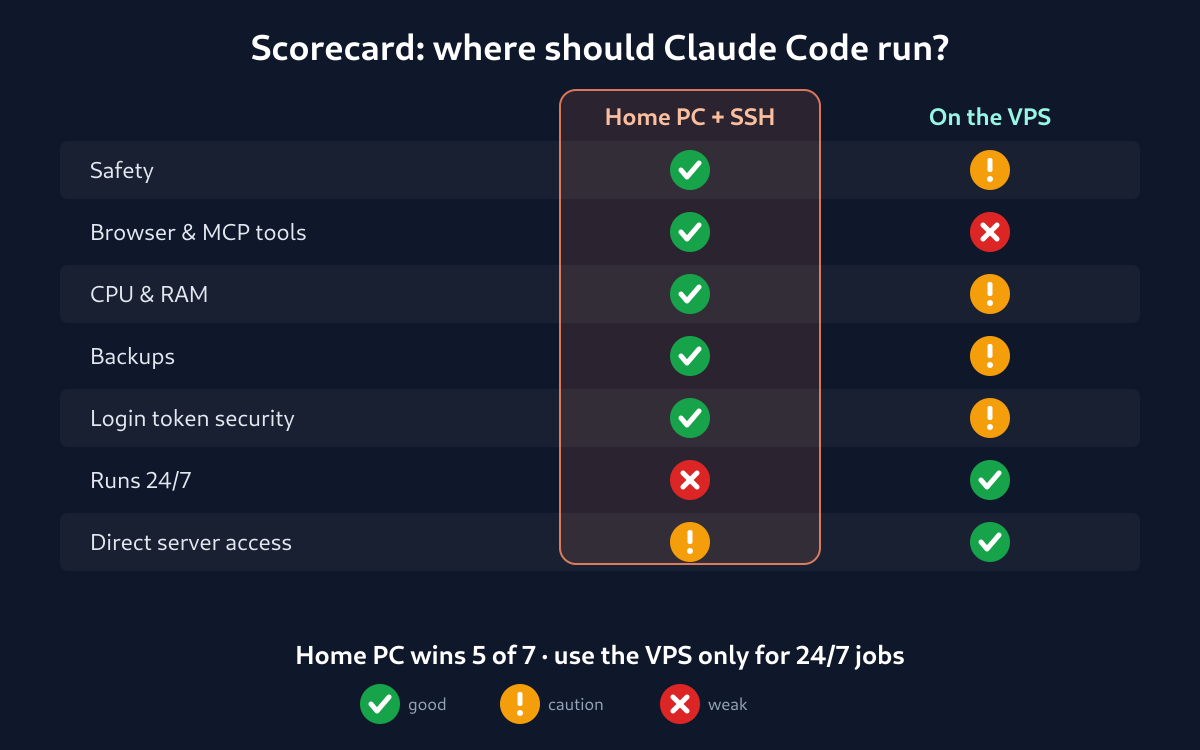
| Home PC + SSH to VPS | Claude Code on the VPS | |
|---|---|---|
| Safety | ✅ Code is written and tested at home. The live server only changes when I deploy. | ⚠️ The agent works on the live server. One bad command can take a website down. |
| Tools | ✅ Browser tools such as Playwright and Chrome DevTools MCP work, including screenshots. | ❌ No browser or GUI, and MCP servers are harder to run. |
| Resources | ✅ The PC’s full CPU and RAM. | ⚠️ Claude Code plus Node.js needs about 0.5–1 GB of RAM, which a small VPS needs for its web server and database. |
| Backups | ✅ Files and git history stay at home. The VPS is only where I deploy. | ⚠️ If the VPS dies, the work goes with it unless it was pushed somewhere else. |
| Security | ✅ The Claude login token stays on my PC. | ⚠️ The login token is stored on a server facing the internet. |
| Always on | ❌ The PC has to stay switched on. | ✅ Can run 24/7 inside tmux. |
| Server tasks | ⚠️ Every command has to go over SSH. | ✅ Reads logs, configs and services directly. |
My choice: home PC as the base
For a personal setup, running the agent on the home PC wins. The main reason is safety: the VPS is production, where my blog and websites are live, and I don’t want to experiment there. The home PC also has more power and runs the browser-based MCP tools I covered in my earlier post, Free MCP Servers for Claude Code.
The workflow I use
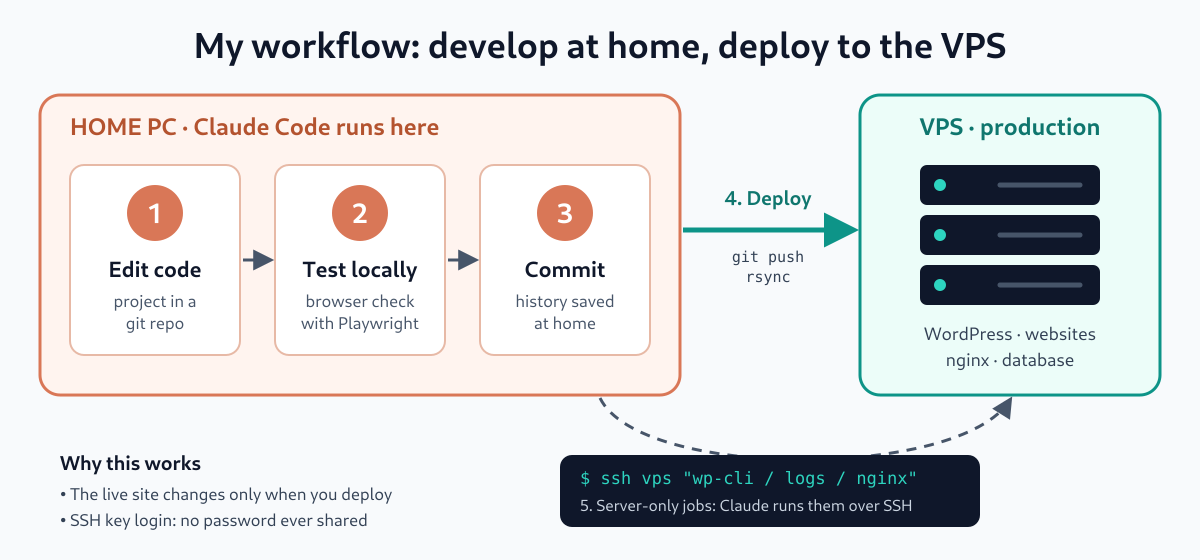
- Keep each project (WordPress theme, plugin or website) in a git repository on the home PC.
- Have Claude Code edit and test it locally, including checking the page in a real browser with Playwright.
- Deploy to the VPS with
git push,rsync, orssh server "cd /var/www/site && git pull". Claude can run these commands for me. - For server-only jobs like reading logs, running
wp-clior editing nginx config, Claude runs the command over SSH from the PC. That’s how this post got published: Claude wrote it on my PC and posted it to WordPress through SSH and wp-cli.
Tip: use SSH key authentication rather than a password. Claude can then connect without ever seeing or storing a password.
When installing on the VPS makes sense
A VPS install still has its uses:
- You want long tasks to keep running while your PC is off.
- You want to start or check work from your phone.
If you go that way, follow some basic rules:
- Run it as a separate non-root user, not root.
- Work in a staging copy, not the live web folder.
- Start it inside
tmuxso it keeps running if the SSH connection drops. - Make sure the VPS has at least 2 GB of RAM.
If you only want phone access, you may not need a VPS install at all. Claude Code’s Remote Control or the web version at claude.ai/code may already cover it.
Bottom line
Develop at home and deploy to the VPS. Treat the server as production rather than a place to experiment. Your websites will be safer, and you keep the full power of your own PC.
73 de 9W2FRP