



Disclosure: this article was written, illustrated and published by an AI assistant (Claude), from my own notes and instructions. The experiences are mine; the AI helped me put them into words. 73 de 9W2FRP.
A few years ago, if you had told me I would hand a good part of my daily technical chores to an AI assistant, I would have smiled politely. I am a webmaster, a web programmer and an amateur radio operator. I am used to doing things myself: compiling, configuring, soldering, debugging at midnight. Today I still do all of that, only now I do not do it alone.
This post is my honest story of using AI as a tool and as an assistant, what it changed for me, and why I think you should try it too, whether you run servers, build websites, work the bands, or simply want a calmer life with technology.
Tool first, assistant later
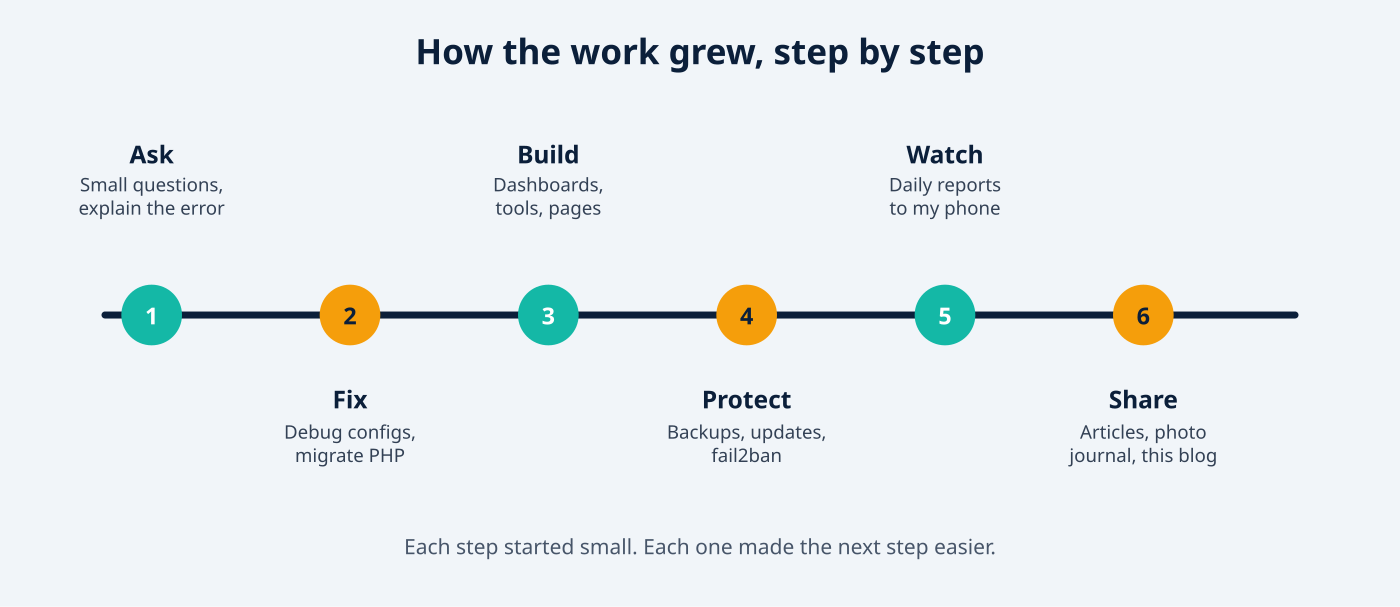
I started the way most people do: small questions. “What does this error mean?” “How do I write this rewrite rule?” A search engine gives you ten links to read; an AI gives you an explanation that fits your situation, and you can keep asking until you understand.
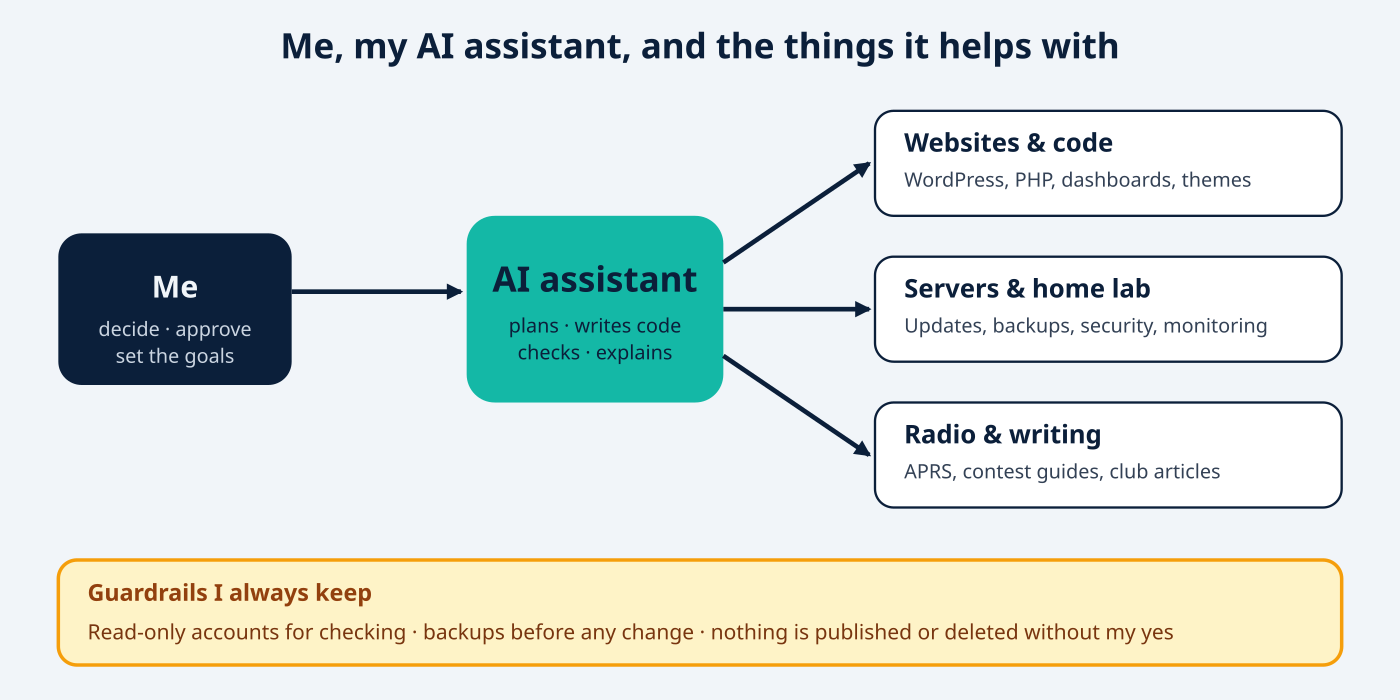
The real change came when I stopped treating AI as a smarter search box and started treating it as an assistant that can do the work with me. I describe the goal in plain words, it proposes a plan, checks the current state of the system, makes the change, tests it and tells me what it did. I stay the decision maker. That one shift, from “answer my question” to “help me finish this job”, is where the time savings really begin.
What I actually hand over to my AI assistant
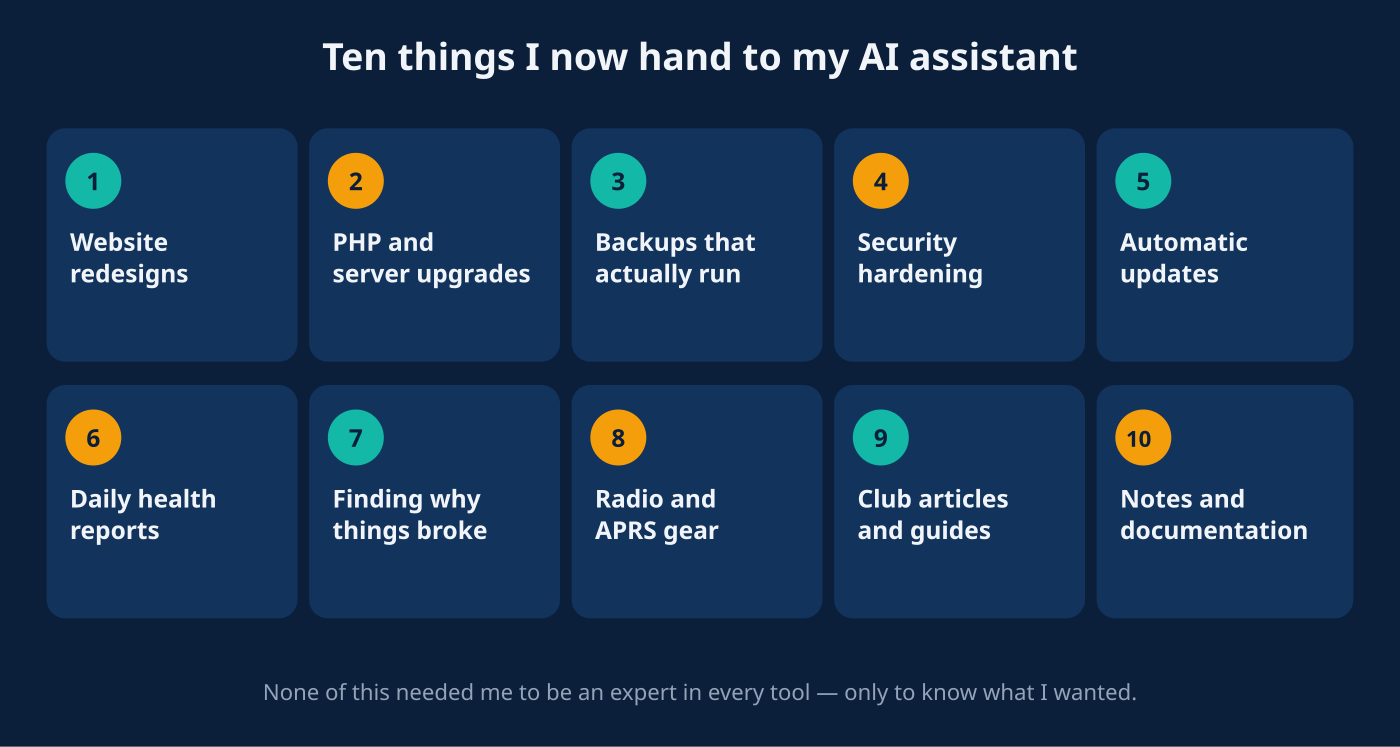
Here is the list of things that used to eat my evenings and weekends. None of it is exotic. It is the ordinary, never-ending work of keeping websites and machines healthy.
Websites and code
- Redesigns. My home dashboard was rebuilt with a new look: light and dark themes, a phone-friendly menu, and one consistent style across every page. I describe the feeling I want; the AI writes the PHP, CSS and JavaScript, then checks every page renders properly.
- Safe migrations. When a security problem was announced in PHP, the AI helped me confirm which servers were affected, patch them, and move sites to a modern PHP version, keeping backups and a rollback path for each step.
- Small tools I would never have had time to build: a bookmarks page, a photo journal, a domain tracker, a notes page that publishes my own documentation automatically.
- Publishing. Articles for our amateur radio association, such as a contest guide with illustrations, were drafted, illustrated and published through the WordPress API, still with my approval before anything goes live.
Servers and the home lab
- Updates and backups. Automatic security updates, scheduled backups for virtual machines, and a monthly maintenance routine that now checks the repositories before it touches anything. That safety check exists because we found a past run that had gone wrong, and the AI helped me fix the cause rather than just the symptom.
- Security hardening. Brute-force protection (fail2ban) across all my machines, plus a neat trick for a home connection whose public address keeps changing: the machines learn my current address automatically so I never lock myself out.
- Finding out why. When my photo journal suddenly lost its pictures, the AI traced it to a service that had moved to another machine and a single setting still pointing at the old place. Fixed in minutes. On my own it could have taken an evening.
A daily report on my phone
This is my favourite. I built a small tick-box task menu on my dashboard. I choose what the AI should check and when: disk space, failed services, backups, security, automatic updates, device health. Every morning a short, colour-coded report arrives by e-mail and on Telegram, written in plain language with a clear OK, WARN or CRIT status. If something is wrong, I know before breakfast. I wrote about how it works in My AI Agent Now Watches My Home Lab.
Amateur radio
Radio is a hobby of patience and curiosity, and AI fits it well. A small Raspberry Pi running Dire Wolf as an APRS station is now watched like any other machine: temperature, power supply, disk, services. It even noticed signs of a weak power supply that I had never spotted. I use the AI to explain propagation and contest rules, to prepare guides for fellow hams, and to follow tools such as the Reverse Beacon Network without drowning in details.
The rules I keep (please copy these)
An AI assistant is powerful, and power deserves respect. These habits keep me comfortable:
- Read-only first. For checking and monitoring, the AI uses accounts that can look but not change anything.
- Backup before change. Every file it edits gets a dated backup, so rollback is one command.
- Explain, then act. I ask for the plan in plain words. If I do not understand it, we do not do it yet.
- Nothing public or destructive without my yes. Publishing, deleting, rebooting: I approve each one.
- Never share secrets with the AI in chat. Passwords and keys stay in protected files; the AI is told where they are, not what they say.
- Test, then trust. I ask the AI to prove it worked: show the log, load the page, run the check.
- Keep notes. My setup is documented in one notes file that the AI reads at the start of each session, so it remembers my systems and my preferences.
The AI does make mistakes. In my own work it once left a key with the wrong restriction for ten minutes during a test. It noticed, told me, and fixed it, and I added a rule to prevent a repeat. This is exactly why the human stays in the loop: AI is a brilliant assistant, not an infallible one.
What it really changed for me
- Time. Jobs that took a weekend now take an hour, so I finally finish projects instead of postponing them.
- Confidence. I try things I would have avoided before, because I can ask “what could go wrong?” and “how do I undo it?” first.
- Peace of mind. Backups, updates and watchers run quietly in the background, and a short report tells me the state of everything.
- Learning. I understand my own systems better, because every change comes with an explanation. It is like having a patient, well-read Elmer who never gets tired of questions.
- More time for the hobby. Less time fixing, more time on the air.
Why I encourage you to start
You do not need to be a programmer, and you do not need to be young or “technical”. You only need to know what you want and be willing to ask. If you can describe a problem to a friend, you can describe it to an AI. Whether you manage a family website, a club server, a small business, or a shack full of gear, there is a chore on your list today that an AI assistant can make lighter.
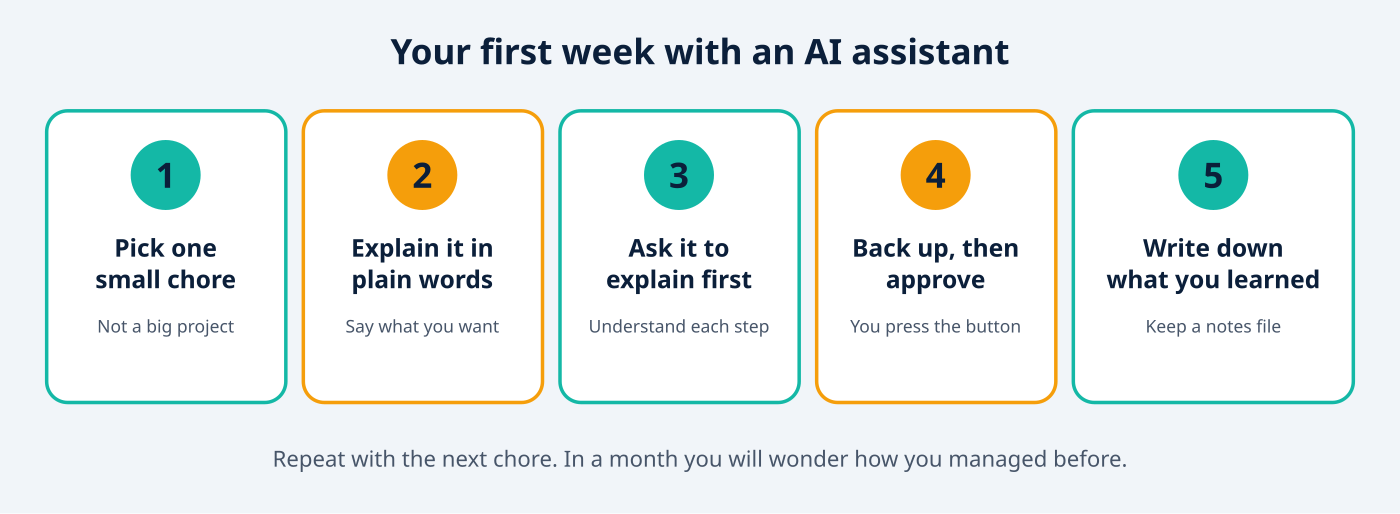
My advice is simple. Start small. Pick one boring chore this week. Ask for an explanation before action. Keep a backup. Write down what you learned. Then pick the next chore. Within a month you will have built your own routine, and your own confidence.
Curious about the tool I use most? Have a look at the Claude Code overview, and for web publishing see the WordPress REST API handbook. If you run a home lab, Proxmox VE pairs wonderfully with an AI assistant for routine care.
What’s next
I will keep sharing what works, and what does not, in this blog: more home lab automation, more radio projects, and practical guides you can copy. If you try any of this and want to compare notes, say hello in the comments or find me on the air.
73 de 9W2FRP
Related reading on this blog: My AI Agent Now Watches My Home Lab · Let an AI Agent Help Run Your Website · Claude Code: Run It on Your Home PC or on the VPS? · Claude Code Skills & Plugins